
Choosing a laser engraver for a growing business, a home workshop, or an Etsy storefront has always been a frustrating exercise in compromise. If you search online forums or watch setup guides, you will inevitably find yourself trapped in the classic co2 vs diode laser debate. You are told that if you want to focus on organic materials, you need a standard blue diode laser engraver. But the moment a client asks to customize a copper plate, a gold ring, or a stainless steel flask, that blue laser fails. To handle metals, you are told you must invest in an entirely separate, expensive metal engraving machine.
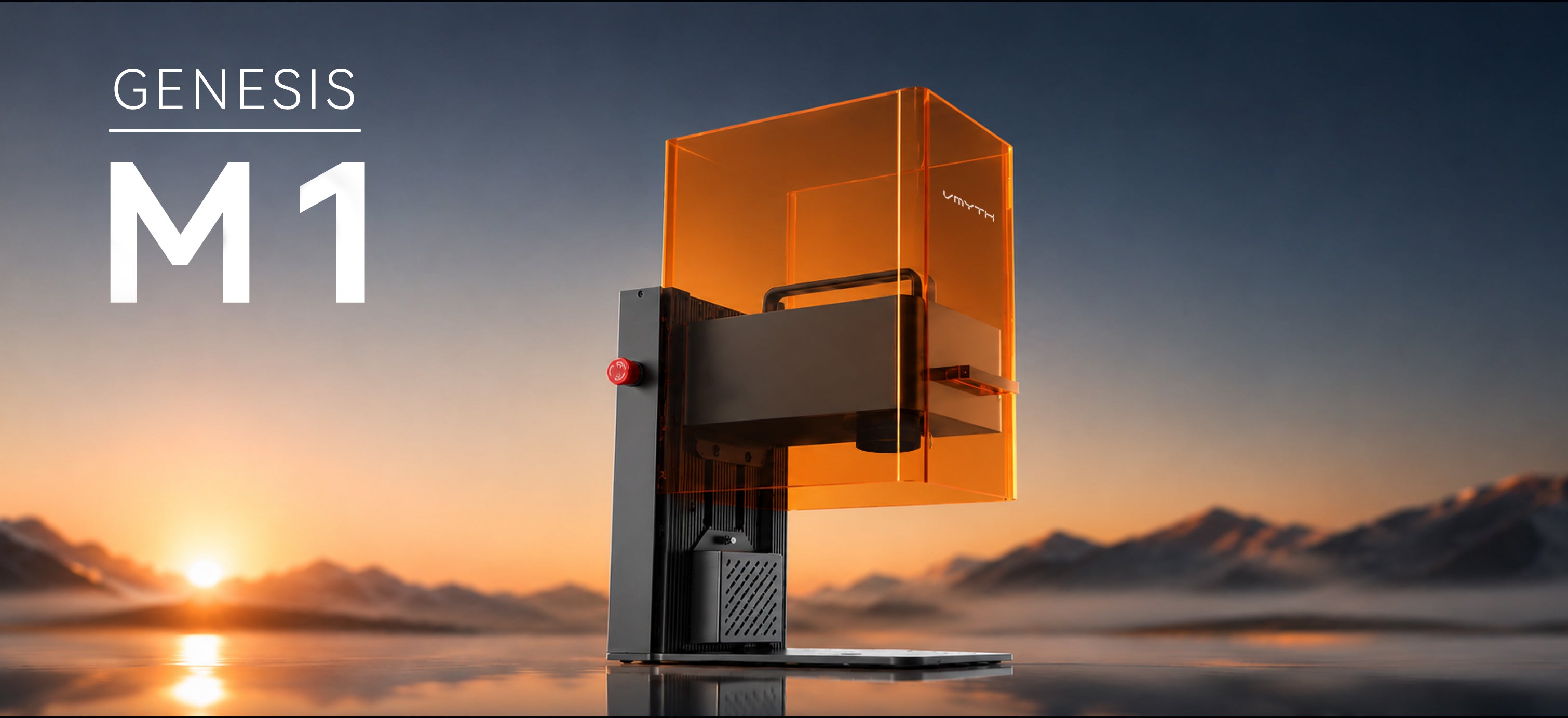
Before you double your capital investment and clutter your workbench with two massive, heavy machines, there is a better way. The VMYTH Genesis-M1 is a compact, dual-source laser cutter and engraver designed to end this dilemma. By housing both a 10W blue laser and a 2W infrared laser in a single, portable desktop unit, it gives you the power to process almost any material on earth.
This comprehensive guide breaks down the science, the applications, and the real-world business math behind this dual-light technology.
1. Understanding the Science: Infrared vs. Blue Diode Laser Wavelengths
To understand why the Genesis-M1 is such a game-changer, we have to look at the physics of laser absorption. Many beginners ask: What are the power differences between colored diode lasers? The answer does not just lie in the wattage (W)—it lies in the wavelength (measured in nanometers, or nm).
Different materials absorb light wavelengths differently. If a material cannot absorb a specific wavelength, the laser light simply bounces off the surface like a mirror, producing heat but no engraving.
💡 Quick Reference: Laser Wavelength Absorption
- Blue Light (455nm): Best absorbed by organic materials (Wood, Leather, Paper, Opaque Acrylic).
- Infrared Light (1064nm): Best absorbed by conductive metals and dense plastics (Gold, Silver, Copper, Stainless Steel, Brass).
-
The 455nm Blue Laser (10W Output): This wavelength is highly absorbed by organic molecules and colored polymers. It is the gold standard for cutting and engraving materials like birch plywood, bamboo, dark acrylics, and genuine leather. On these materials, it operates as an efficient, high-speed laser wood cutter.
-
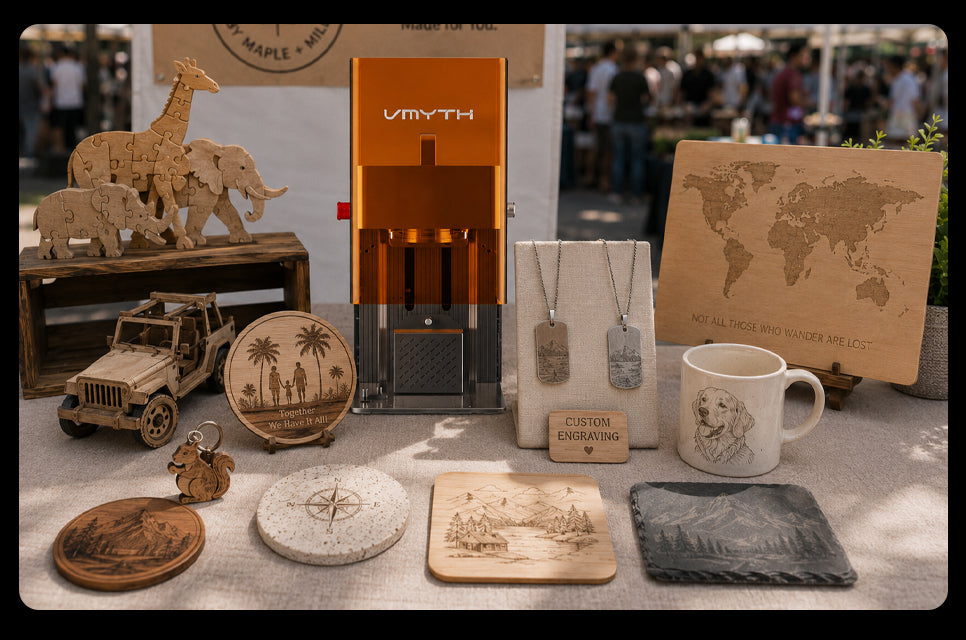
The 1064nm Infrared Laser (2W Output): This is a fiber-like pulse laser. Its wavelength is highly absorbed by conductive metals and dense plastics, which normally reflect blue light entirely. When switched to infrared mode, the Genesis-M1 instantly transforms into a professional metal laser engraver and laser marking machine. You can etch directly onto gold, silver, brass, copper, and stainless steel with zero surface prep or chemical marking sprays.
2. A Hands-On Guide: How to Engrave Wood, Acrylic, and Glass Like a Pro
To get the absolute most out of a professional laser engraving machine, you need to master the core technical parameters of your software. Below is a practical primer on how to configure your settings for the three most requested materials in the customization industry.
How to Engrave Wood and Master Cutting Paths
When learning how to engrave wood, your two most important variables are speed and line spacing. For a high-quality finish on wooden corporate gift boxes, slate coasters, or cutting boards, you must pay attention to your resolution settings.
Many beginners struggle with a setting known as Lines Per Centimeter (LPC) or what is line per cm on laser do. This setting controls the density of the laser passes:
-
Low LPC (e.g., 20–30 lines/cm): The laser lines are spaced further apart. This is ideal for fast draft runs or rough rustic textures, but you will see visible line patterns under close inspection.
-
High LPC (e.g., 50–100 lines/cm): The laser lines overlap slightly. This is the sweet spot for photo-realistic engraving, producing a smooth, solid, and dark carbonized finish without any visible banding.
For cutting organic sheets, the Genesis-M1 functions beautifully as a desktop laser cutter. When processing 1/8 plywood or standard basswood canvas, use a slow-speed, single-pass cut to ensure clean, smoke-free edges.
Engraving and Cutting Acrylic Sheets
Acrylic is incredibly popular for modern jewelry, signage, and wedding accessories. However, cutting it requires a clear understanding of your laser’s limits:
-
Opaque and Dark Acrylics: The 10W blue laser handles dark red, green, blue, and black acrylic with ease, making it a reliable acrylic laser cutter.
-
Clear and Transparent Acrylics: Because clear acrylic allows blue light to pass straight through, you must either coat the surface with a dark dry-erase marker (which is cleaned off post-engraving) or utilize the infrared laser to alter the surface structure.
Mastering Glass Laser Engraving
Etching custom designs onto wine bottles, whiskey glasses, and corporate mirrors is highly profitable. However, engraving glass requires precise power management to avoid fracturing the surface.
When configuring your laser engraving glass power and speed settings, follow this proven baseline:
-
The Problem: Glass does not expand evenly when heated by a laser, which can lead to micro-cracks and jagged, sharp edges.
-
The Solution: Apply a damp paper towel or a thin layer of liquid dish soap to the glass surface before engraving. Run the 10W blue laser at medium-high speed (approx. 3,000 mm/s) and low-to-medium power (approx. 20%–30%). This dissipates the thermal energy evenly, creating a smooth, beautiful frosted white look without chipping the glass.


3. VMYTH Genesis-M1: Technical Specifications & Workspace Parameters
We believe in complete transparency. We don’t hide our specs behind confusing buzzwords. The Genesis-M1 is a hard-working piece of hardware, and its technical blueprint is built to withstand heavy daily use:
|
4. The Storefront Theater: Compact Portability Meets Indoor Safety
If you run a local retail shop, a boutique gift house, or a busy market stall, you cannot afford to have a loud, dangerous-looking industrial machine sitting on your counter.
| Traditional Gantry Engraver | VMYTH Genesis-M1 (Galvo System) |
|---|---|
|
🔴 Slow Processing Speed: Runs at 100 – 400 mm/s. Customers typically have to wait 15+ minutes for simple engravings. 🔴 Large Footprint & Exposure: Requires a dedicated heavy table, with exposed moving belts, open laser glare, and unmanaged fumes. |
🟢 Ultra-High Speed: Operates at 5,000 mm/s. Most custom gifts are fully finished and ready in just 1 – 2 minutes. 🟢 Sleek & Safe Workspace: Lightweight 7.75 kg desktop unit featuring a fully sealed, orange-eye-shielded cover with active air-filtration support. |
The Genesis-M1 was engineered specifically to solve the layout and safety challenges faced by retail storefronts:
-
Agile and Portable: Weighing only 7.75 kg, the M1 is a true portable laser engraver. Its robust metal frame and integrated handle mean you can easily pack it up, put it in your car, and set it up at a weekend craft show in minutes.
-
Integrated Shielding: The bright orange safety door filters out harmful laser radiation. This allows customers and passing kids to watch the engraving process live without needing to wear awkward safety goggles.
-
Clean Air Filtration: When you engrave organic items like leather or wood inside a small shop, smoke and odors can quickly become a nuisance. The M1 supports an external air-filtration hose that quietly vacuums away fumes and particles, keeping your retail space fresh and clean.
5. Seamless Workflow: From Mobile App to Lightburn
We believe your design software shouldn’t hold you back. The Genesis-M1 doesn’t force you into a frustrating subscription model. It works with whatever design style you prefer.
For Store Associates and Beginners:
The companion THMG Laser App (available on iOS, Android, macOS, and Windows) is incredibly intuitive. A retail assistant with zero technical background can open the app, import a handwritten signature from an iPad, type out a custom anniversary date, and start engraving in seconds. It is the ultimate tool for quick, “on-demand” retail orders.
For Advanced Makers and Engineers:
If you are already running a complex workflow, the Genesis-M1 is natively compatible with Lightburn and GRBL. You can easily import your existing vector layers, set precise toolpaths for your small laser cutter, and manage complex material settings without changing your favorite design software.
6. The Business Math: A High-Margin Engine for Small Businesses
Ultimately, choosing a small laser engraver is a business decision. You need to look at your return on investment (ROI) and see how quickly the hardware can pay for itself.
By housing two distinct laser sources in one machine, the Genesis-M1 helps you avoid a massive double-purchase:
| 📊 The Dual-Light ROI Advantage (Cost Comparison) | |
|---|---|
| Standard Blue Diode Laser (Wood/Acrylic Only) | $800 |
| Standard Dedicated Fiber Laser (Metal Only) | $2,200 |
| Total Two-Machine Investment | $3,000 |
| VMYTH Genesis-M1 (All-in-One Dual Light Hub) | Single Investment |
By removing the cost and space barriers of owning two separate machines, the M1 helps you run a much leaner business. You can capture high-margin, small-batch corporate gift orders (like 10 custom stainless steel flasks for a local real estate office) and engrave delicate wooden keepsake boxes for a walk-in retail customer on the exact same machine, back-to-back.
For boutique storefronts, local crafters, and growing workshops, the VMYTH Genesis-M1 isn’t just a piece of technology. It is the best laser engraver for small business owners who want to offer premium, on-demand customization without the premium price tag.
Share:
Beyond the Hype: Why We Founded VMYTH in the Era of xTool
Best 6 Laser Engravers for 2026: In-Depth Comparison Guide